How can I avoid red lighting on my audio mixer during live performances?
Years ago, deep inside a dimly lit club in Germany, I found myself standing close enough to the DJ booth to peer behind the rack. The physical sensation was undeniable one of the best, where I could feel the subwoofers against my chest. But when I looked down at the gear, something didn't compute. The amplifiers, the DSP, and the mixer looked almost asleep. Barely a single LED flickered. There was no blinking, no warning signals flashing in the dark. Yet, the sound was nothing short of breathtaking. It was pristine, transparent, and effortlessly massive. By the time the night hit its peak, the system was kicking with jaw-dropping authority, clear vocals, and super smooth high frequencies, all while maintaining absolute composure. It was my first encounter with a high-end sound system operating at its absolute zenith and completely free of distortion. It changed how I experienced music forever.
Fast forward to today. In almost any modern DJ set video online, you’ll find a sea of crimson LEDs firing away and, most of the time, mixer status bars with dancing red lights that somehow everyone has collectively agreed to ignore. It has become common in contemporary DJ culture to practically accept it as normal. Unfortunately, none of them understand what lies behind this angry glare.
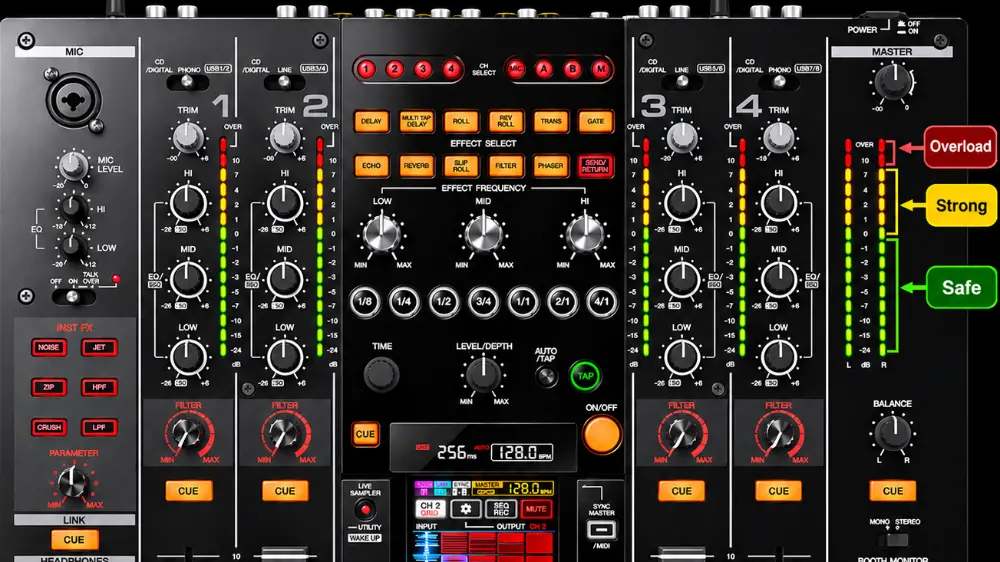
This phenomenon now has a name and is known as redlighting, also called pinning the meters or overdriving the mixer. This occurs when the audio signal exceeds the maximum operating headroom of the console's internal circuitry. To understand the consequences of redlighting, you first need to understand headroom and gain structure. Every analog and digital mixer operates on specific voltage rails, with the designed safe zone shown in green, while yellow is the pre-clip area.
Normal audio signals fluctuate dynamically below the maximum threshold, leaving headroom for unexpected peaks like a sudden snare hit or a loud vocal shout. When you turn the gain or fader up to go beyond the yellow on the status bar, the audio waveform exceeds the system's maximum voltage capability. The electronic circuit at this stage cannot reproduce the peaks of the wave, turning the danger status LEDs to red. This in fact is the maximum power the system can produce before it clips or peaks.
What is Redlighting and Why Does It Happen?
When this happens, instead of a natural waveform, the top and bottom of the audio wave are chopped off. This changes the smooth musical waveform into a square wave. Square waves are rich in harsh, high-frequency odd harmonics that do not exist in natural acoustic instruments or clean electronic music. The clean tone of vocals, guitars, or synthesizers is replaced by unnatural or at times very metallic-sounding instruments. In speech and vocals, clipping smudges consonants and blends frequencies together, making lyrics or announcements unintelligible to the audience. Because music relies on the difference between quiet parts and loud parts (dynamic range), clipping compresses these peaks, squashing the music into a fatiguing, lifeless brick of sound.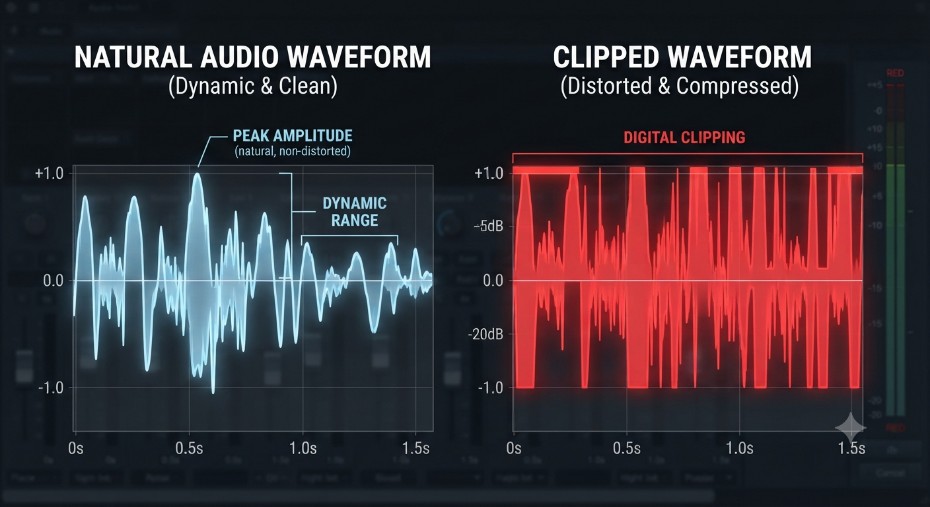
a real musical signal with a clip signal
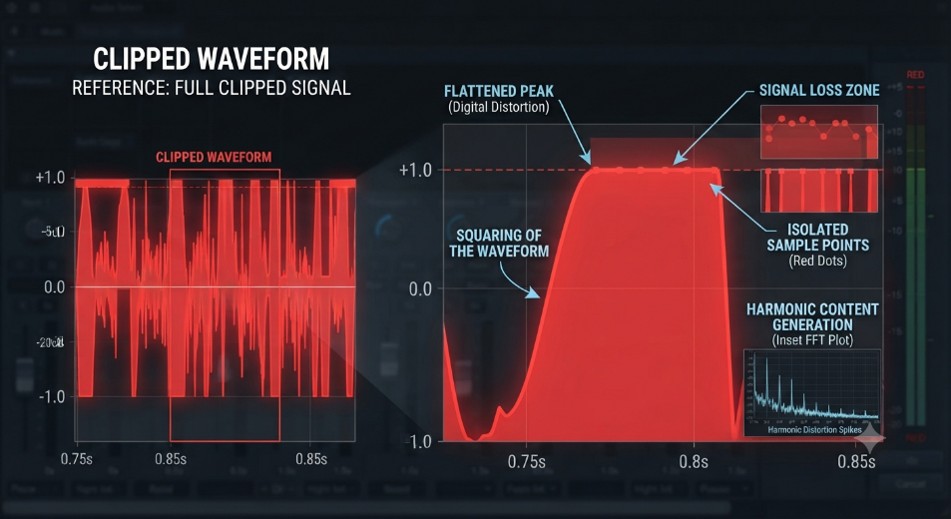
clip signal with an expanded single waveform
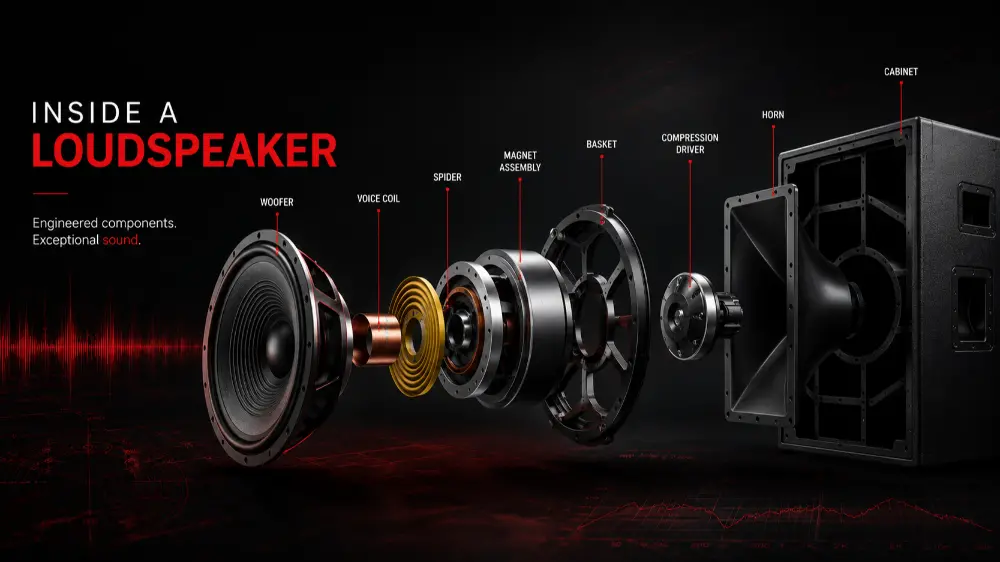
Now, consider the consequences of such hardware stress on a sound system. When a mixer clips, it sends a distorted, high-energy square wave down the line to the power amplifiers. Because square waves drastically reduce the signal's crest factor, amplifiers handling them are forced to output a much higher average power. This easily pushes the amplifier itself into continuous clipping and generates massive amounts of heat, sending dangerous, clipped energy straight to the speakers, which in turn fries them.
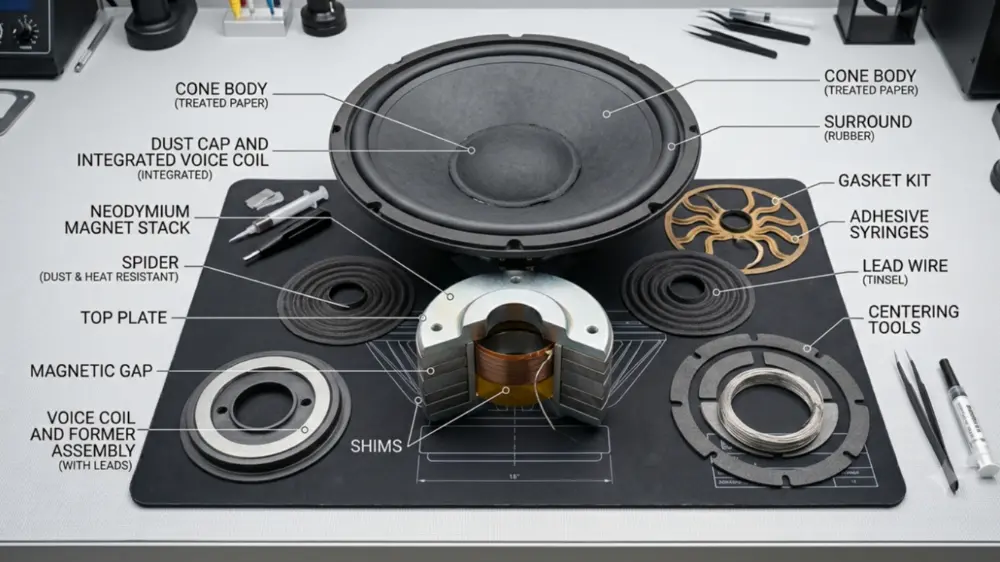
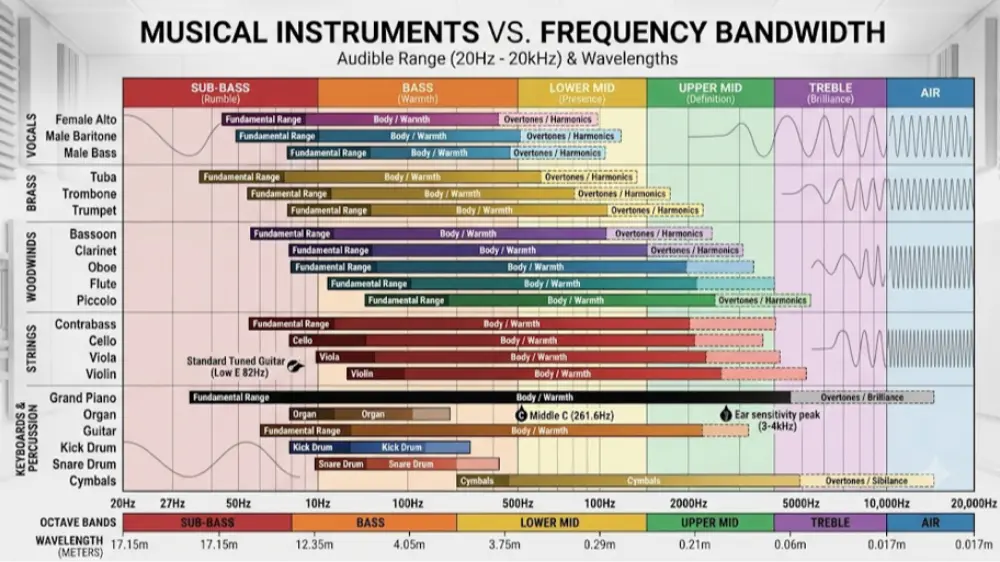
Most well-designed loudspeakers are built to handle alternating bursts of music and speech, which allow voice coils time to cool down during brief pauses most of the time a few milliseconds. A clipped signal, however, delivers continuous, high-amplitude, DC-like thermal energy to the speaker components, causing voice coils to overheat, warp, or burn out entirely. High-frequency drivers that take in most of the frequencies between 2 kHz to 20 kHz are especially vulnerable. The high-frequency harmonic distortion generated by a redlighting mixer floods the HF section with raw energy it cannot dissipate, often resulting in a silent tweeter accompanied by the distinct smell of burning.
The Real Cost: How Redlighting Destroys Amplifiers and Loudspeakers
One of the common misconceptions among beginner DJs and musicians is: "If the lights are in the red, the system is pumping harder and sounding louder, so it must be better."
While an overdriven system does sound aggressively loud, this loudness is an illusion born of distortion and ear fatigue rather than actual higher SPL. The human ear is sensitive to distortion. High-frequency odd harmonics generated by clipping cut right through the ear's most sensitive frequency ranges (2 kHz to 5 kHz). This creates a piercing, abrasive sensation that registers in the brain as painfully loud long before the actual sound pressure level (SPL) reaches a safe threshold for the gear. Because dynamic peaks are chopped off, the overall volume floor feels artificially raised. Every instrument sounds crammed into the same space, fighting for dominance, which tricks the listener into thinking the mix is dense and powerful. In reality, it is just compressed mud.
The other major challenge is a far more destructive physical consequence that happens at the loudspeakers end called thermal compression. When a mixer is constantly on red, it flattened waveform peaks dramatically increase the average RMS power delivered to the drivers. Instead of brief musical transients giving speakers a chance to rest, voice coils are hit with a relentless wall of energy that turns electrical power directly into intense heat. As heat is directly proportional to resistance as the temperature increases, the Voice coil resistance increases, causing the speaker to lose sensitivity and literally become less efficient causing the sound system to sound quieter and at times loose base all together. Thermal compression sets in and the system sounds duller, operators mistake the loss of volume for a lack of power and push the mixer even harder into the red. This pumps more heat into the coils, dragging efficiency down further until the drivers permanently degrade or burn out entirely. That German club years ago didn't sound massive through abuse it sounded powerful because they respected headroom, keeping the system cool, efficient, and breathing freely all night long.
Continually running a mixer in the red drastically reduces the operational lifespan of every single component in the audio chain. Rather than getting years or decades of reliable service out of professional audio equipment, operators who constantly redlight their gear often find themselves facing costly repairs, blown drivers, and smoking amplifiers within months
How to Protect Your Gear and Get Clean, Powerful Sound
Protecting your gear and ensuring a clean, powerful sound requires proper operational discipline:
· Get your sound system designed by a professional.
· Use a system with adequate headroom, which means always buy a system with more capacity than what is minimally required. It will have a higher initial cost but will have a longer life and will ensure quality and dependability.
· Do not run or play the system without a properly aligned setup.
· Set your input trim/gain so that the signal hovers healthily in the green, occasionally touching yellow during the loudest passages. Never use the channel gain fader to boost volume if the light is already red. Your master output meters should mirror your channel management. If your properly set up system with good loudspeakers sound starts to get harsh, brittle, ormuddy, you are pushing the system too hard, or your system is running out of phase.
Remember Clean power always travels further and sounds better than distorted noise.